Deploy QMigrator on Azure Kubernetes Service (AKS) from Azure Marketplace
This guide explains how to deploy QMigrator on Azure Kubernetes Service (AKS) using the QMigrator Marketplace Helm chart. It also covers basic usage, including creating and consuming messages.
Prerequisites
Ensure you have the following before starting:
- AKS cluster: An existing Azure Kubernetes Service cluster, or permissions/ability to provision one during deployment.
- kubectl: The Kubernetes CLI, installed and configured for your cluster. Install it using
az aks install-cliif needed. - Project details: Project ID, name, and credentials from Quadrant.
Deployment Steps
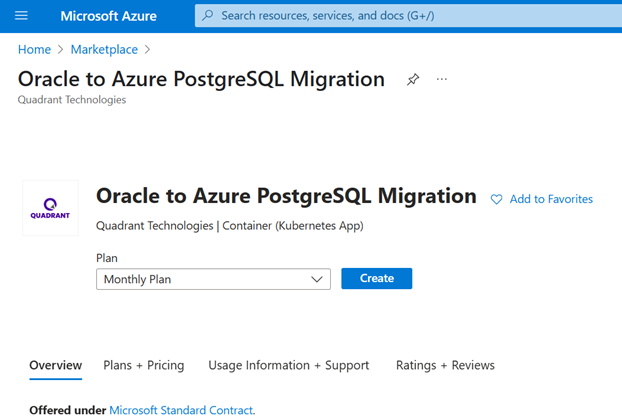
- In Azure Marketplace, search for "Oracle to Azure PostgreSQL Migration".
-
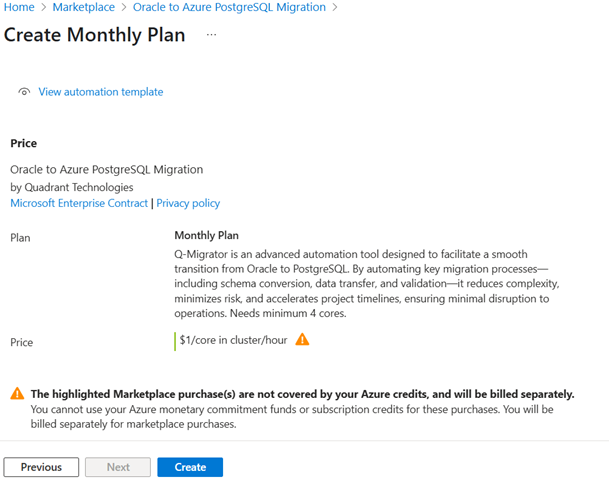
Select the plan and click Create.
-
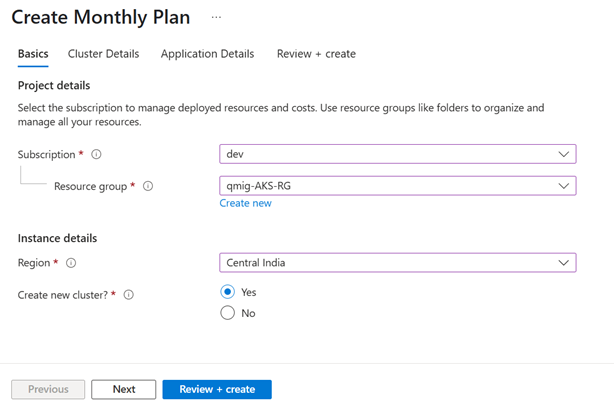
Enter your subscription and resource group details.
-
Choose to create a new AKS cluster or use an existing one.
-
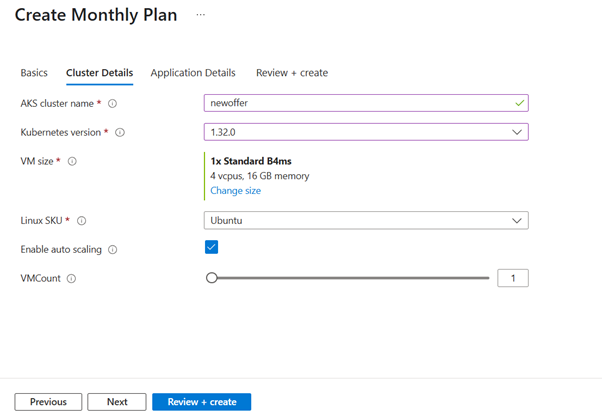
Configure the new cluster: node size, Kubernetes version, OS, and autoscaling options.
-
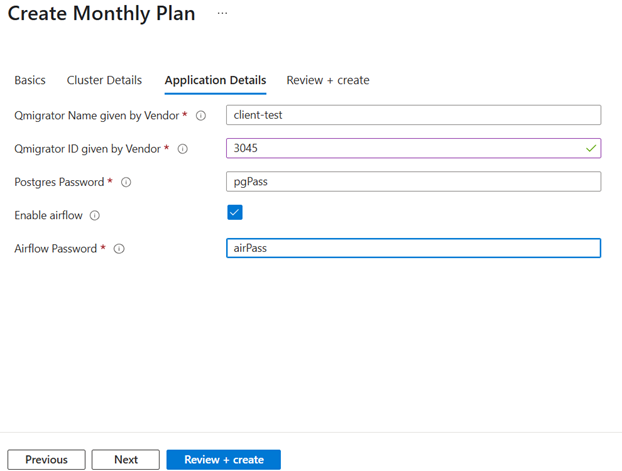
Provide QMigrator details from Quadrant, set a database password, enable Airflow for scalable migrations, and airflow password.
-
Review your configuration, contact information, and pricing.
- Once verified, Click Create to begin deployment.
Verification
List pods created by the deployment:

Post-Installation: Gateway API Setup
- To expose QMigrator externally, follow the Gateway Controller for gateway configuration.