Infrastructure
Infrastructure management provides a landing zone for your cloud resources and architecture configuration. This feature allows you to design infrastructure components, allocate resources, and configure networking settings.
Prerequisite
Before accessing QMigrator, ensure you have completed user registration and project setup. See User Onboarding for account creation, email verification, and project request steps.
Creating and Configuring Infrastructure
Step 1: Create a New Infrastructure
Begin the infrastructure setup process.
-
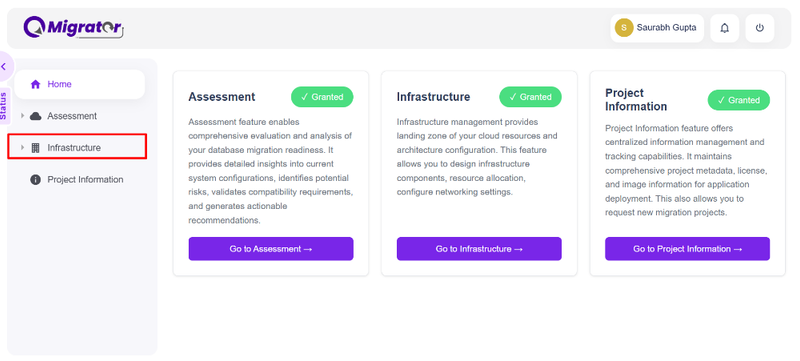
Navigate to the Infrastructure menu in the sidebar.
-
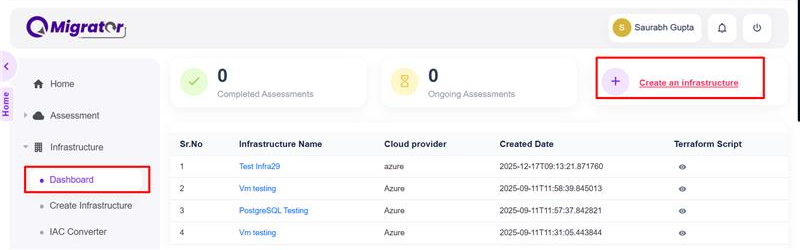
Select Dashboard and click Create an infrastructure.
-
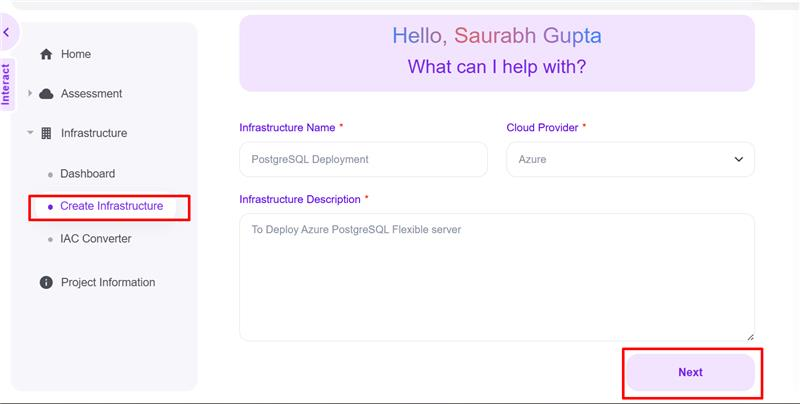
On the Create Infrastructure page, provide the following details:
- Infrastructure Name: Enter a descriptive name for your infrastructure
- Cloud Provider: Select your cloud platform (e.g., AWS, Azure, GCP)
- Description: Add a brief description of the infrastructure purpose
-
Click Next to proceed.
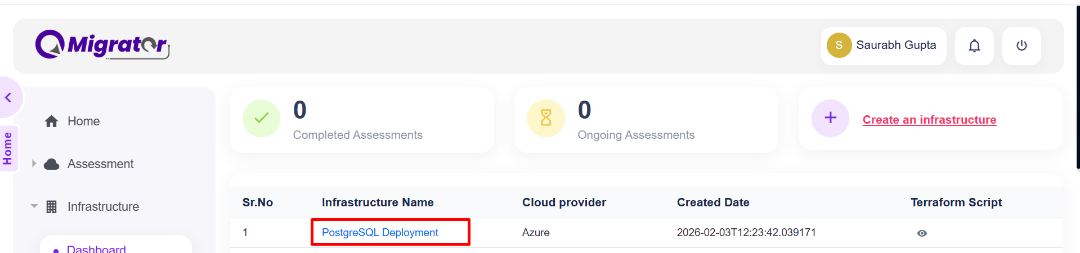
Your newly created infrastructure will now appear in the Dashboard.
Step 2: Generate Infrastructure Script
Configure your infrastructure using the AI-powered prompt system.
-
Click on the Infrastructure Name you created in the dashboard.
-
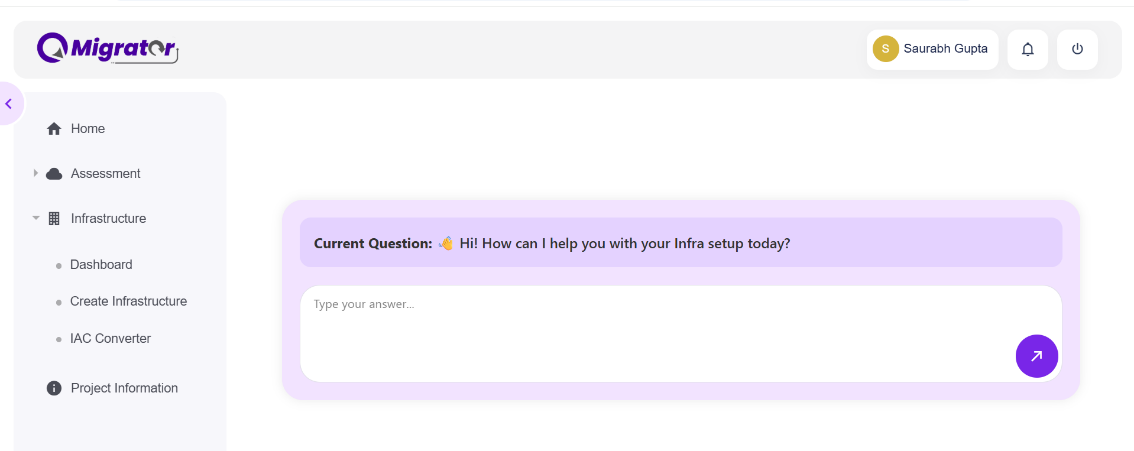
Answer the questions presented in the interactive prompt.
- "I need VM instance"
- "Create Flexiserver PostgreSQL"
-
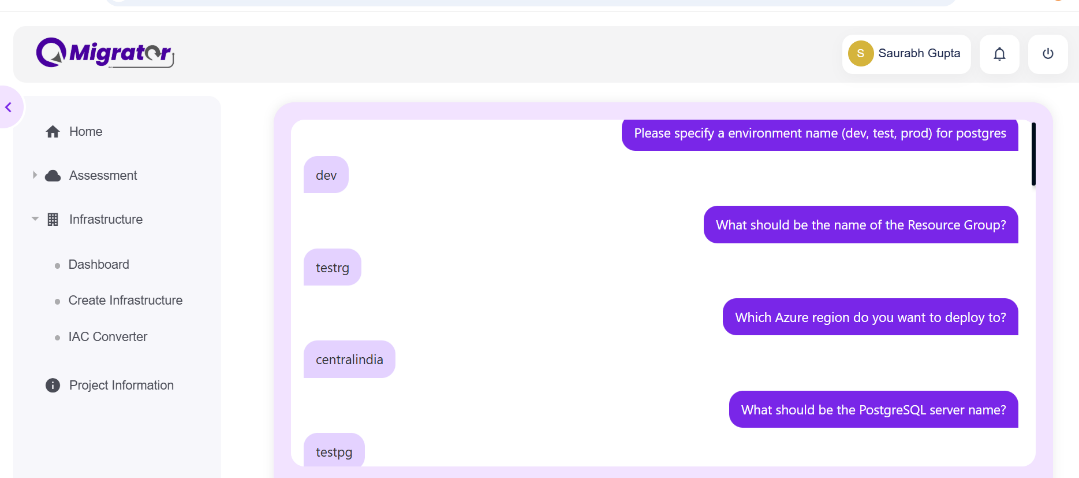
Provide responses to each question releated to Resource, Network, and Security etc.
-
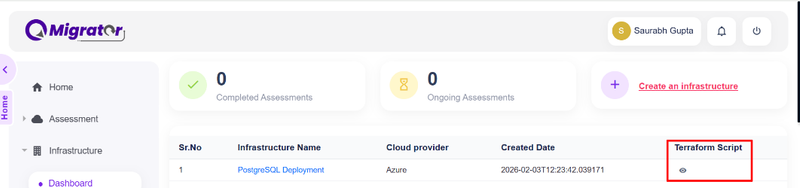
Based on your responses, the system generates a Terraform script tailored to your selected cloud provider.
Step 3: Download and Deploy
-
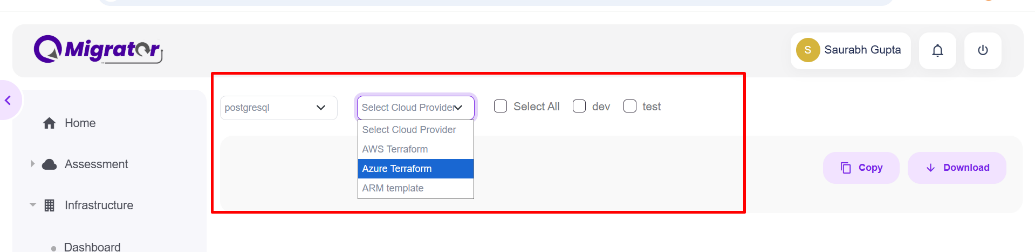
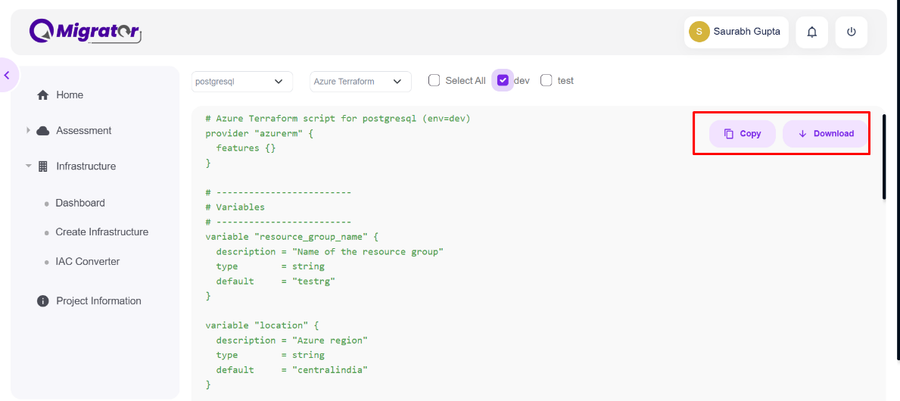
Review the generated Terraform script in the editor.
-
Copy the script to your clipboard or Download it as a file.
-
Deploy the infrastructure to your cloud environment:
- Configure your cloud provider credentials (Service Principal for Azure, IAM roles for AWS, etc.)
- Run the Terraform script in your deployment environment
- Follow your cloud provider's best practices for infrastructure deployment
Note
Ensure you have the appropriate permissions and service principals configured before deploying infrastructure to your cloud environment.