Permission to Access
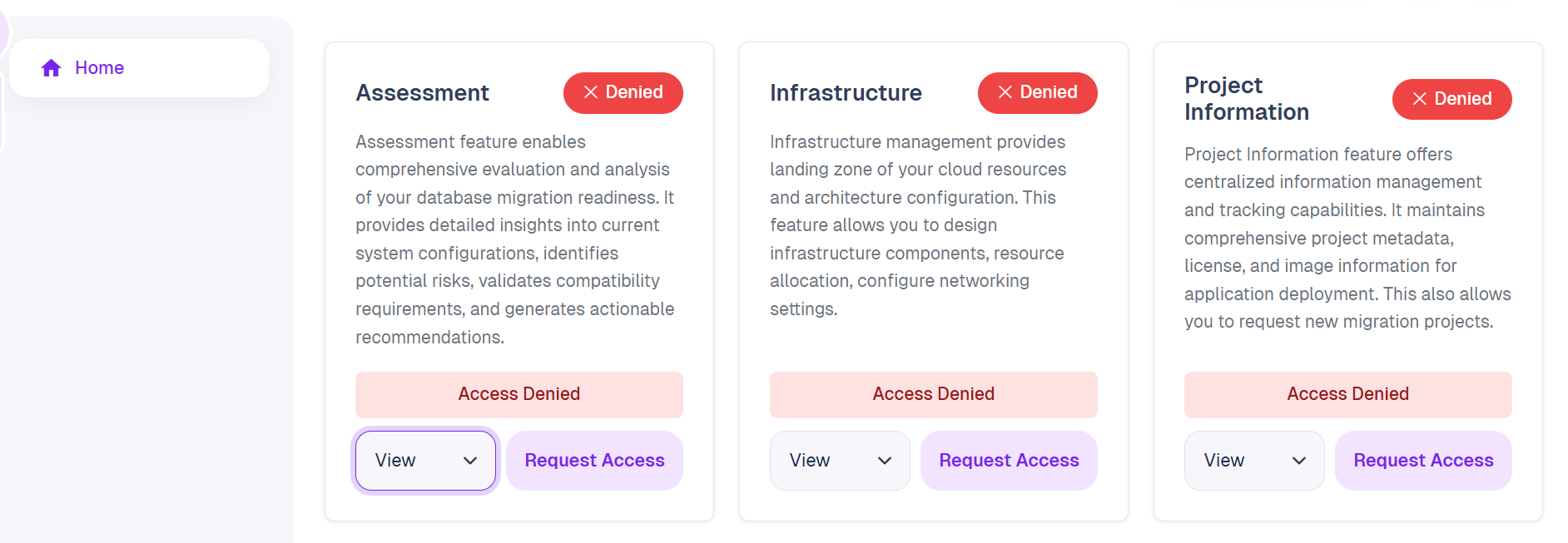
QMigrator SaaS controls access at the component level. Each feature requires an explicit permission grant before use. New users will see Access Denied on all components until access is approved by your organization's administrator.
Access Modes
Each component supports three levels of access:
| Mode | Description |
|---|---|
| View | Read-only access to data and results |
| Edit | Ability to create, modify, and manage configurations |
| Admin | Full control for feature and advanced settings |
Components
Assessment
Enables comprehensive evaluation and analysis of your database migration readiness. Provides detailed insights into current system configurations, identifies potential risks, validates compatibility requirements, and generates actionable recommendations.
Infrastructure
Provides landing zone management for your cloud resources and architecture configuration. Allows you to design infrastructure components, allocate resources, and configure networking settings.
Project Information
Offers centralized information management for migration projects. Maintains comprehensive project metadata, license details, and deployment image information. Also allows you to request new migration projects.
Requesting Access
- On the home page, locate the component you need access to.
- Select the desired access mode (View, Edit, or Admin) from the dropdown.
- Click Request Access to submit the request to Quadrant.
- Once approved, the component status changes from Denied to the granted access level.
Info
Access requests are reviewed by the Quadrant team. Contact your project administrator if approval is needed urgently.